Kept on this device for 7 days. Renders made with a credit code can also be found on any device by entering the code.
Free · No login, no sign up · Before & after
Free AI room design — redesign any room.
AI room design from your own photo, with no login and no sign up. See AI before-and-after examples across six interior styles, then upload your room and render it live in any style — 2 free renders a day.
In short: a free AI room design tool with no login and no sign up — upload a room photo, pick a style, and get a before-and-after render in about a minute. Two free renders a day.
AI before & after · Six interior styles · 2 free renders a day
Free · no login · your photo is sent only when you click Redesign — to our rendering service, which the AI reads it from. We never use your photos to train models. Your result stays available for 7 days so you can come back for it.
Need more than 2 a day?
Two free renders a day stay free, forever. Credit packs add more — no account, no subscription, and they never expire.
40 renders
or 20 Pro renders
$4.90
$0.12 per render · one-off
Enough to try every style in a few rooms.
100 renders
or 50 Pro renders
$9.90
$0.10 per render · one-off
For a whole home, or a listing you are staging.
Standard vs Pro — same photo, same style
 Original photo
  Standard (free)
  Pro
Pro 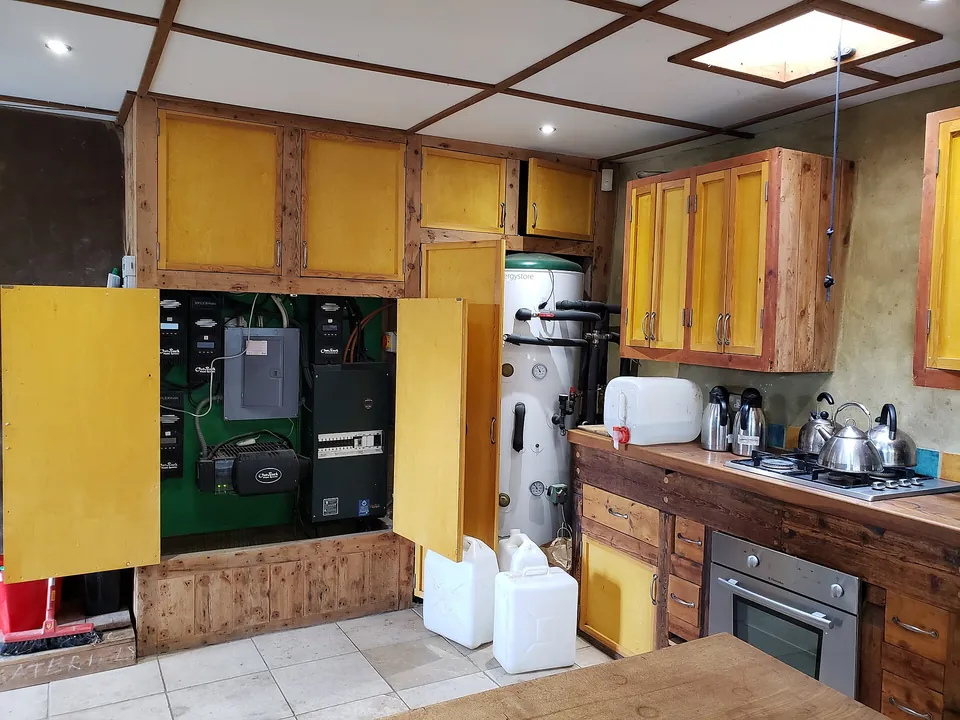 Original photo
  Standard (free)
  Pro
Pro Real photos, one render each (October 2026). Pro is slower and uses 2 credits; Standard stays free at 2 a day.
Your code appears on screen right after payment — no account, it works on any device, and there is nothing to cancel. Credits never expire, and purchases are final. Payment is handled by Stripe; we never see your card. Your receipt and card statement will show Clize.ai, our payments provider.
Tested 1 October 2026
Four real photos through the live tool
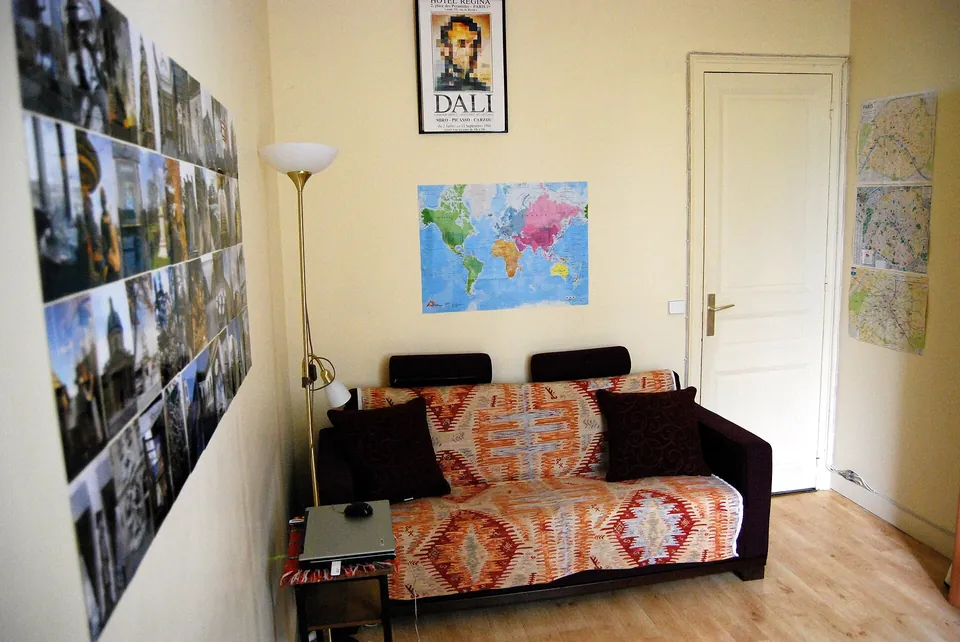
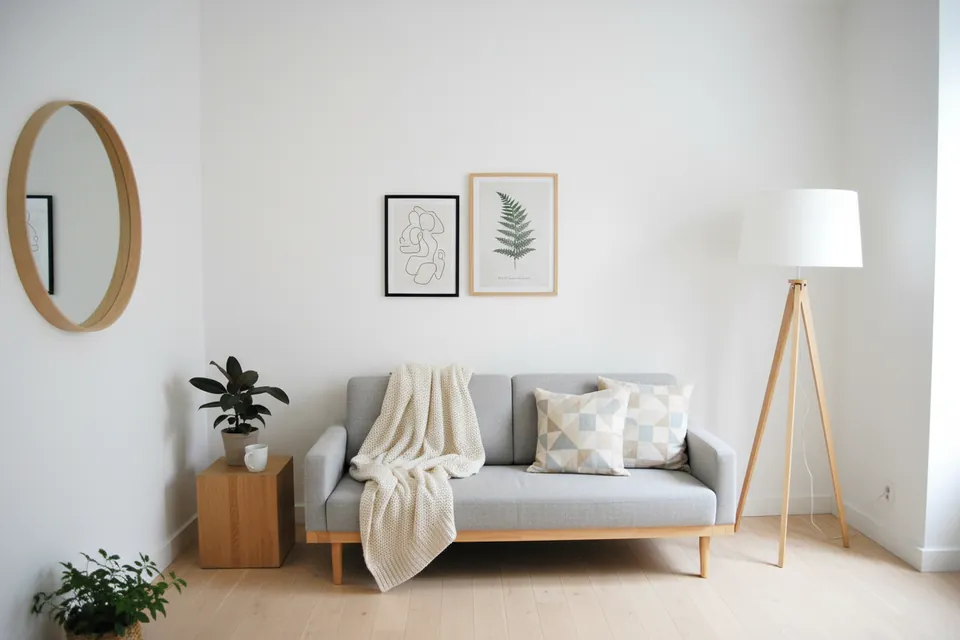
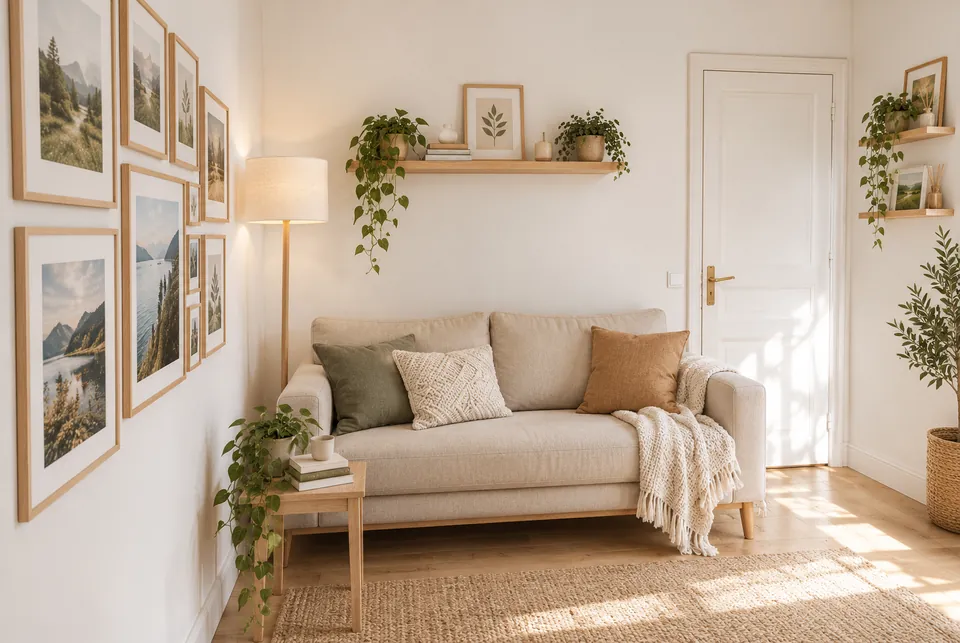
We uploaded four public-domain (CC0) room photos from Wikimedia Commons to the redesign tool on this page — the same tool and render settings you get (we used a test credit code, which changes the quota, not the output). Left: the photo as uploaded. Right: the result exactly as it came back, only resized for this page. A first kitchen attempt stopped with a network error before rendering and was not charged; the second attempt is shown.
Uploaded photo Result Living Room → Scandinavian
Kept: The corner, the wall planes, the wood floor and the camera height.
Changed: The door in the back wall disappeared — there is plain wall where it was. All posters, maps and photos were removed and the sofa was replaced.
Photo: Carlos ZGZ · CC0 · Wikimedia Commons
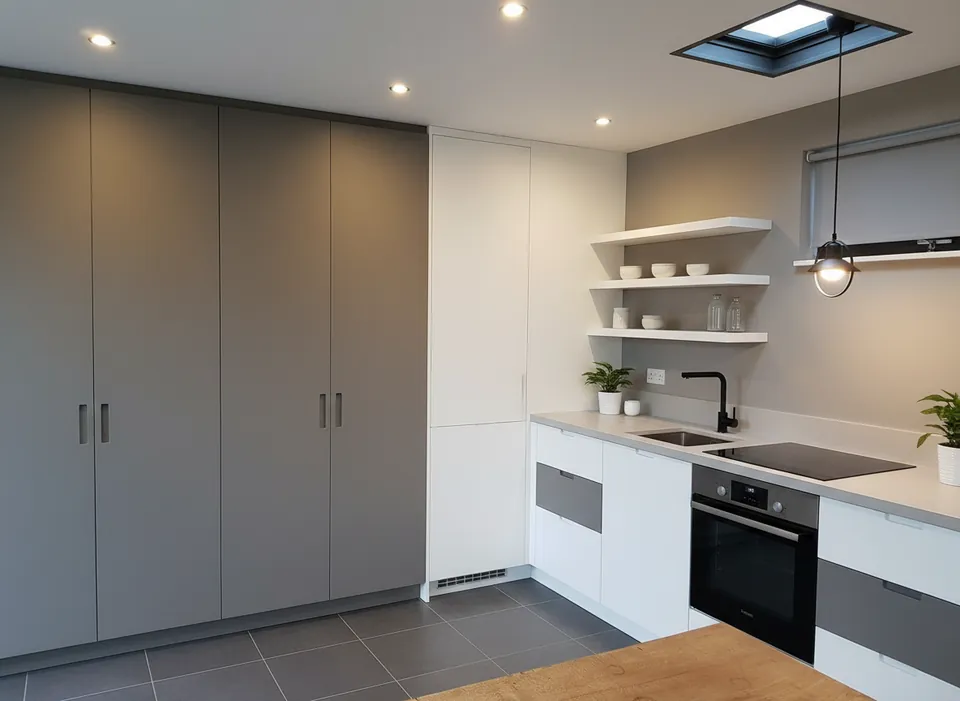
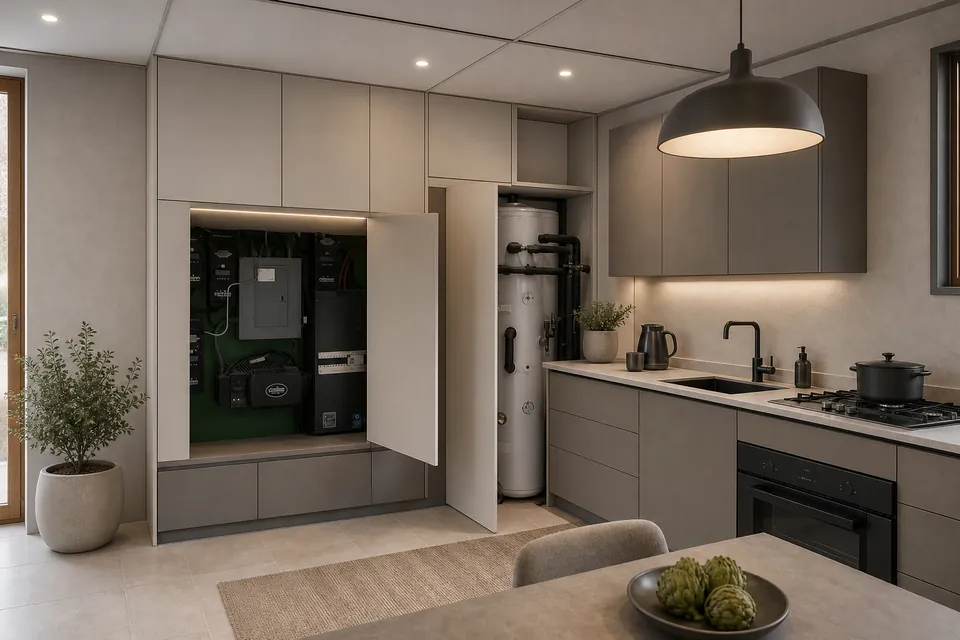
Uploaded photo Result Kitchen → Modern
Kept: The camera angle, the skylight, the L-shaped worktop, the oven under the hob and the table in the foreground.
Changed: The open cupboard with the electrical equipment and the hot-water cylinder is now hidden behind closed tall doors. A sink and a small window appear that are not in the photo, and the gas hob is drawn as a flat cooktop.
Photo: Andy Li · CC0 · Wikimedia Commons
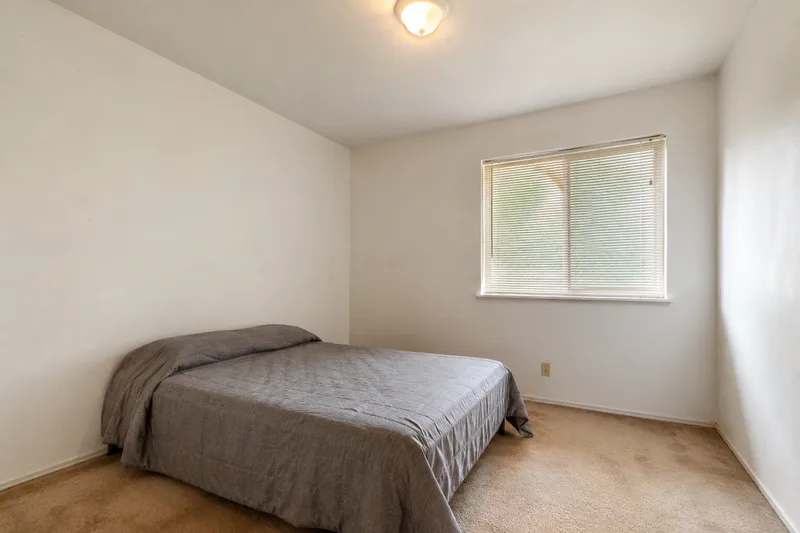
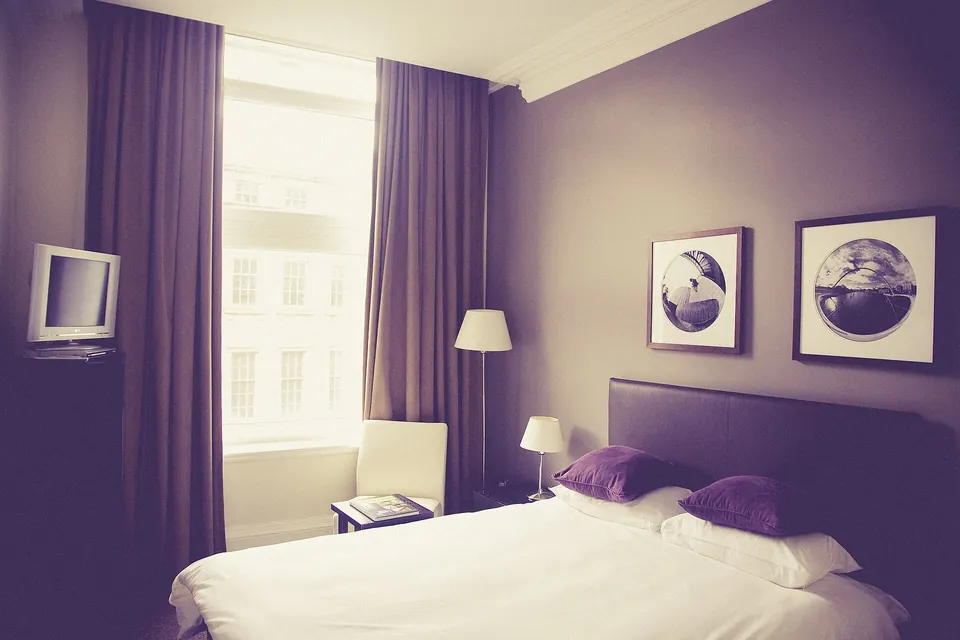 Uploaded photo
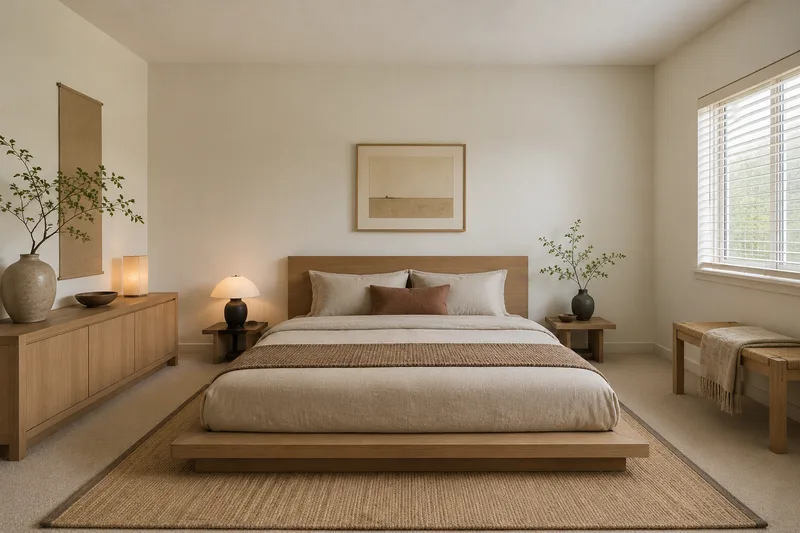
 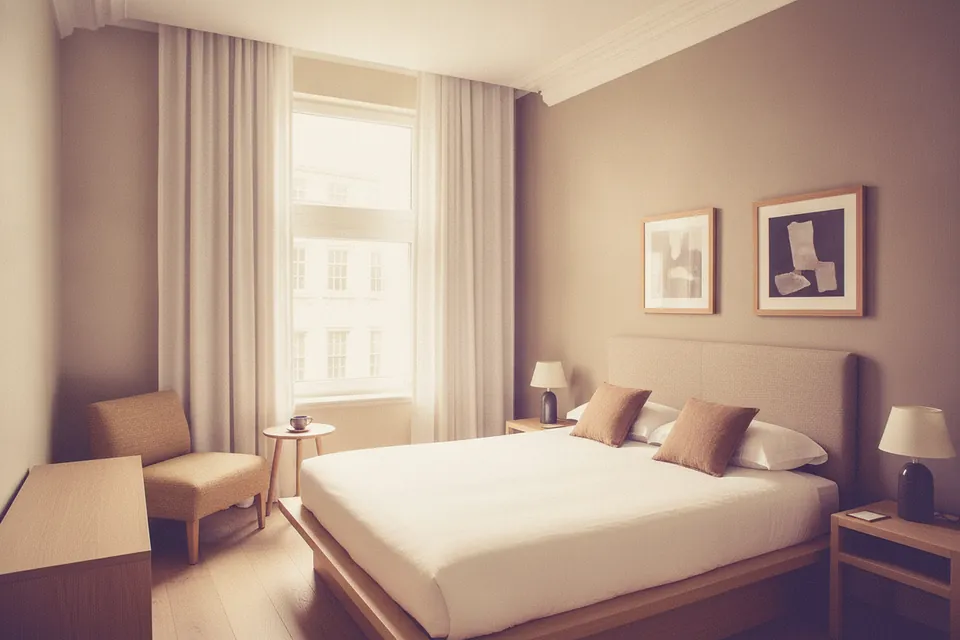 Result
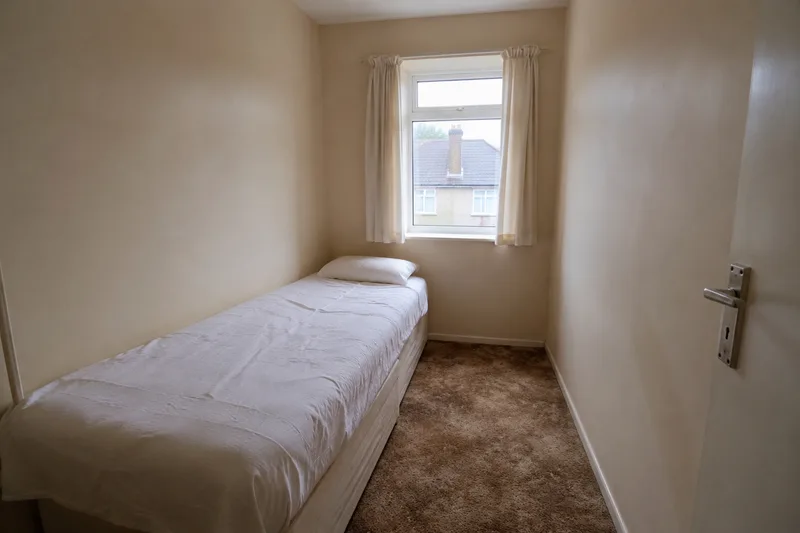
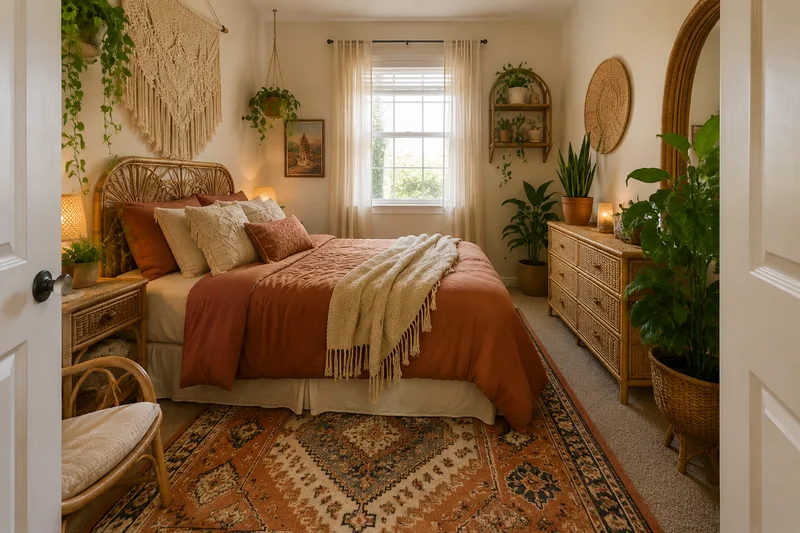
 Bedroom → Japandi
Kept: The tall window and the building outside, the cornice, and the bed against the right-hand wall with two prints above it.
Changed: The framing widened — more of the room is visible than in the photo. The TV is gone and the armchair moved to the other side of the window.
Photo: Markus Spiske · CC0 · Wikimedia Commons
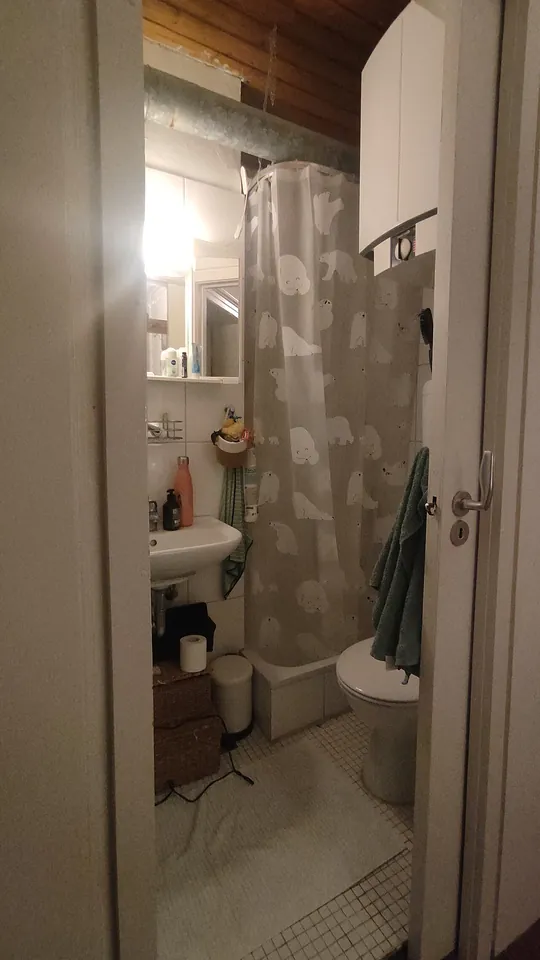 Uploaded photo
 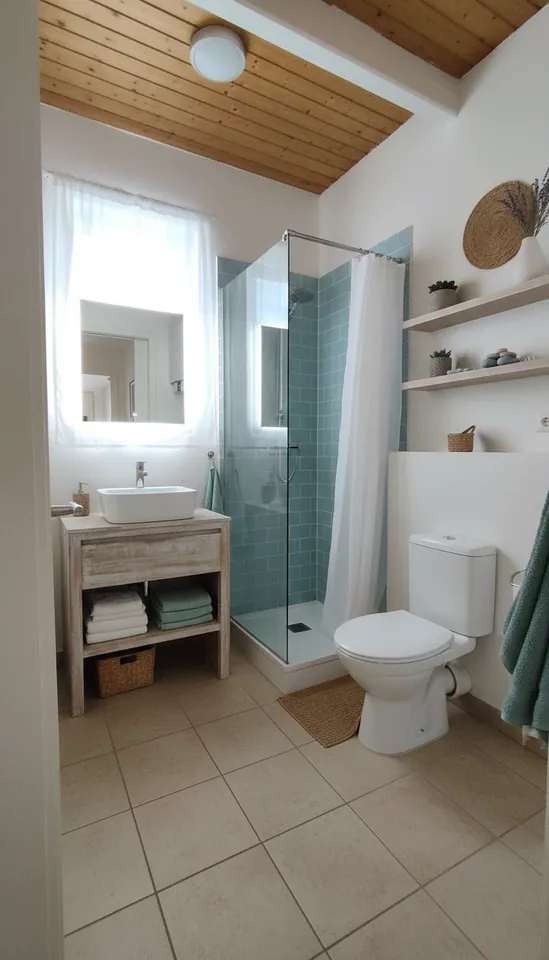 Result
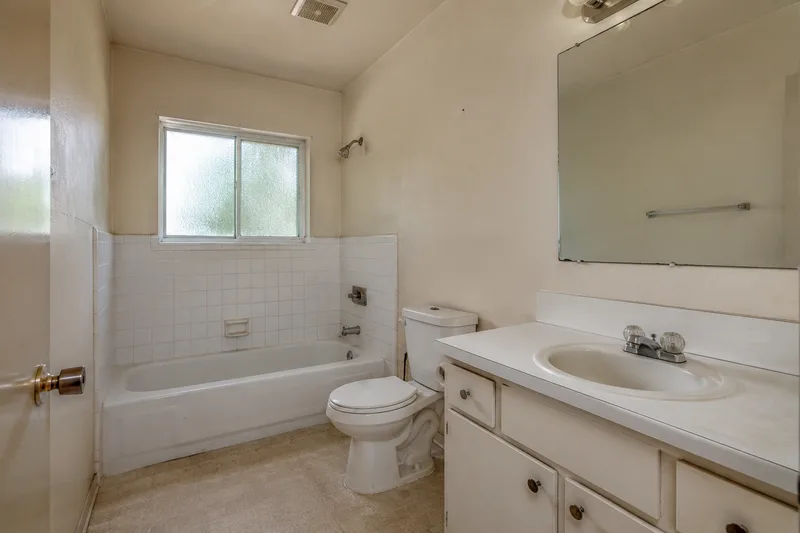
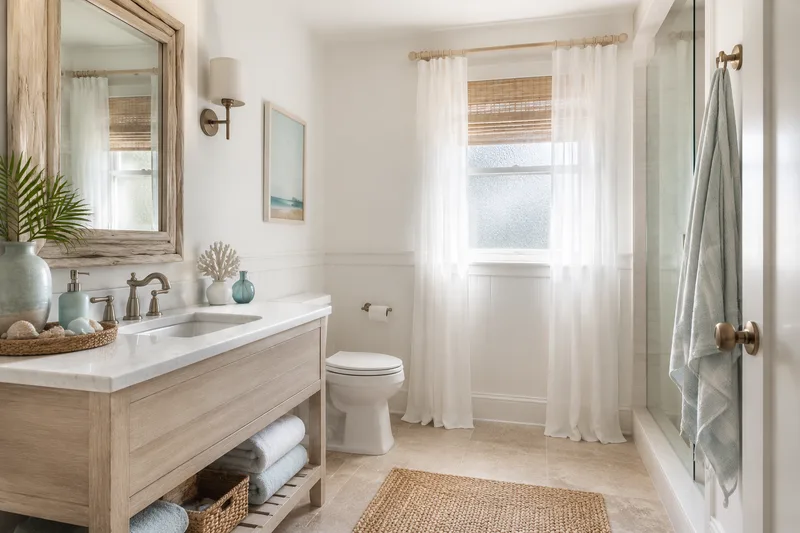
 Bathroom → Coastal
Kept: The wood-plank ceiling and the toilet on the right.
Changed: This one did not hold the room. The view moved inside the doorway, the bathroom got bigger, the sink moved to the back wall, the shower became a glass enclosure and a window appeared. Use it as a finishes reference, not as a plan of your room.
Photo: Lmqay · CC0 · Wikimedia Commons
What it can’t do
- Keep everything in place. It is told to keep walls, windows and fixtures, and it usually keeps the camera angle — but doors, sinks and windows can move, vanish or appear (see the living room, kitchen and bathroom above). Check the result against your room.
- Measure or plan. There are no dimensions, floor plans, product lists or cost estimates — the output is one picture.
- Keep your furniture. Furniture and decor are replaced with pieces in the chosen style; it does not restyle the sofa you already own.
- Take your own prompt. You pick one of six styles; there is no free-text instruction.
- Print large. Results came back at about one megapixel (1248 × 832, 1184 × 864 and 768 × 1344 px here) as a PNG. Your photo is scaled down to at most 1600 px on the long side before it is sent.
- Answer instantly. Our four renders took 35 s, 45 s, 56 s and 291 s; when the model is busy it can take several minutes.
- Give unlimited free renders. Two successful free renders a day per network (the day is counted in UTC); a failed render does not count. People on the same office or mobile network share the two.
Featured redesigns
Sample rooms, six ways
Every image below is an AI before-and-after — drag the slider to reveal the redesign.
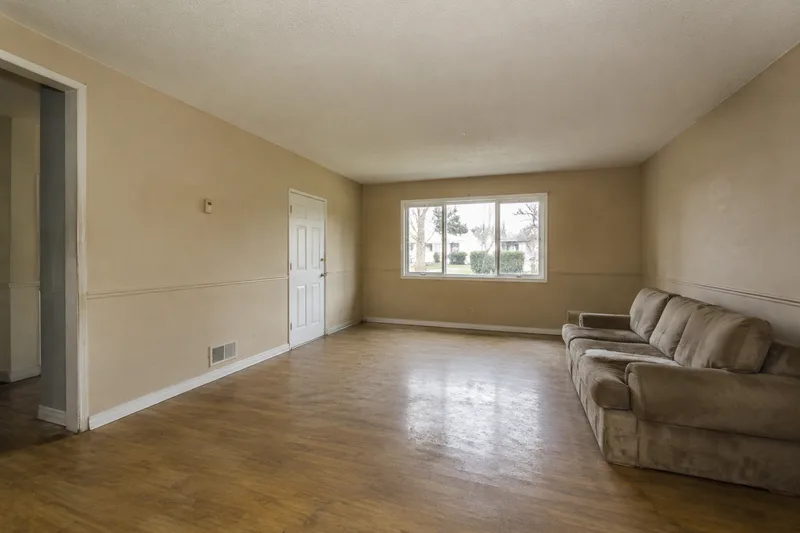
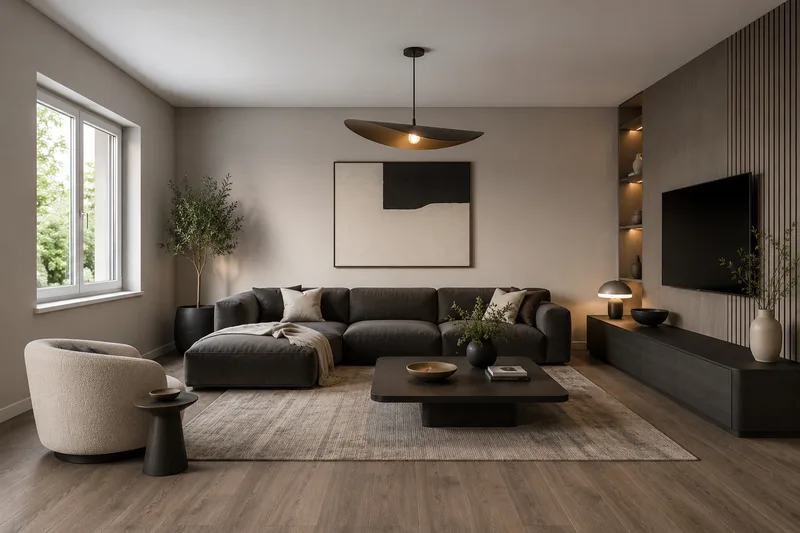
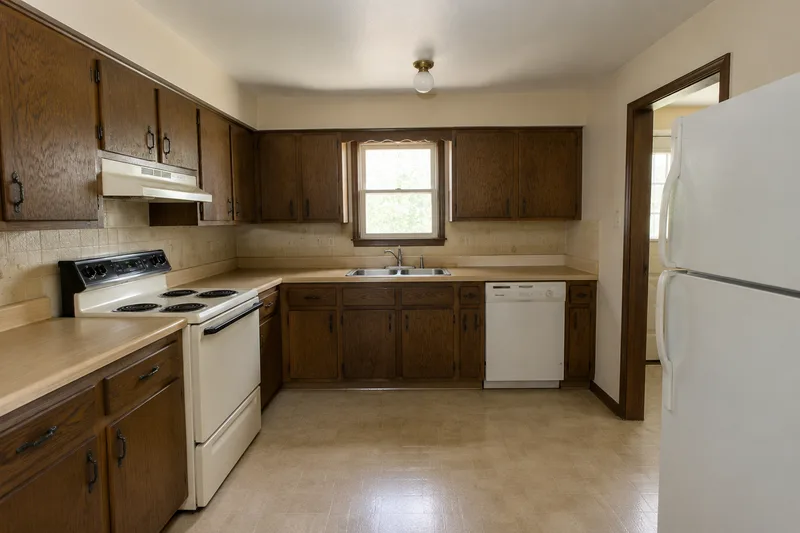
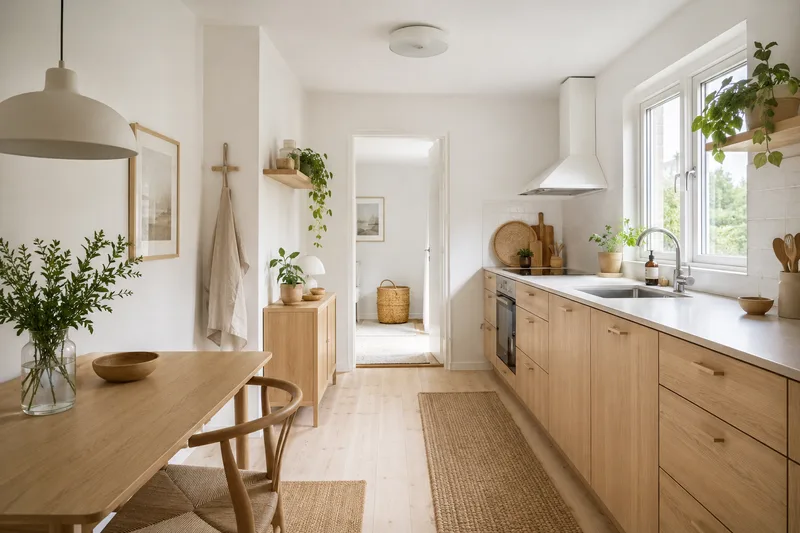
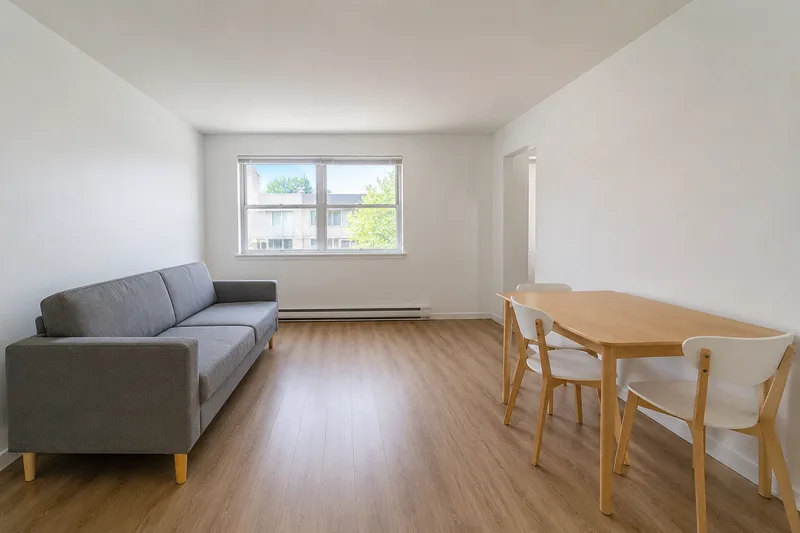
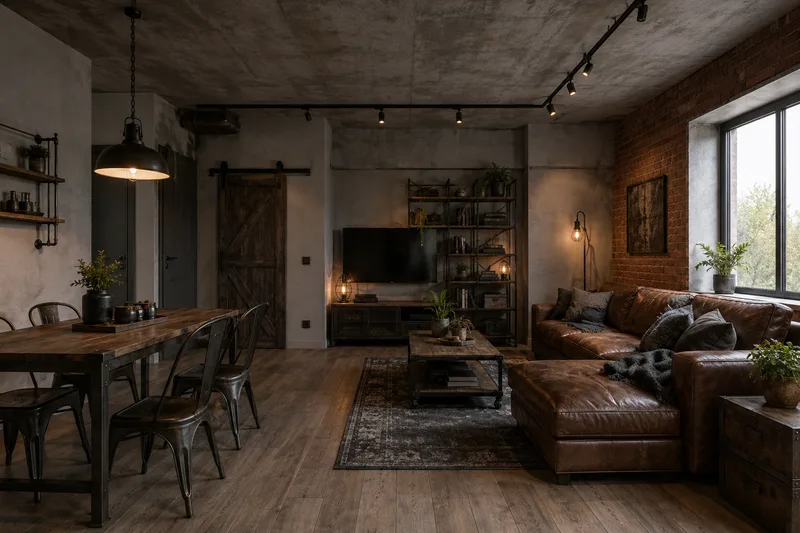
These sample rooms are AI-generated, not photos of real homes; each “after” was made from its “before” by an image model. Your own photo goes through the live tool.
How it works
From snapshot to redesign in four steps
- 01
Pick a room & style
Choose a room type and a look — modern, japandi, scandinavian, boho, industrial or coastal.
- 02
See before & after examples
Drag the slider on AI redesign examples in that style — same room, new look — to find your direction.
- 03
Add your room photo
Drop in a phone snapshot. It previews privately in your browser and is sent only when you click Redesign.
- 04
Render your own room
Upload a photo, pick a style and get your redesign in about a minute — 2 free renders a day, no login.
By room
By style
Frequently asked questions
Is it really free and without login?
Yes. Browsing the before-and-after gallery and rendering your own photo are free and need no account or login — you get 2 free live renders a day, free forever. Credit packs add more renders for a one-off price — still no account, and they never expire. Nothing here is behind a signup wall.
Are my photos private and safe to upload?
Your photo is used only to create your redesign and is never used to train models. It is sent only when you click Redesign, used once for that render and not stored — browsing the gallery never uploads anything.
Can I use the redesigned images commercially?
The renders are AI previews meant for personal inspiration and planning. For commercial or property-listing use, see our Terms; real-estate agents should use the virtual staging page, which is built for listings.
How many room redesigns can I do for free?
The before-and-after gallery is unlimited to browse. Live rendering of your own photo is free at 2 renders a day, to keep the service sustainable; a one-off credit pack adds more, with no account and nothing to cancel.
Does the AI keep my room’s actual layout?
Mostly, not always. The tool asks the model to keep the walls, windows, ceiling height and proportions and to change only furniture, materials, colors, decor and lighting, and it usually keeps the camera angle and the shell of the room. But it is an image model, not a floor plan: in our tests on 1 October 2026 it removed a door in one living room, added a sink and a window in a kitchen, and redrew a very small bathroom larger. Compare the result with your room before relying on it.
Do I need to download an app or create an account?
No. It runs in your browser with no app and no account. Pick a room and a style, drag the slider on the before-and-after examples, and upload your photo to render it live — that’s the whole flow.