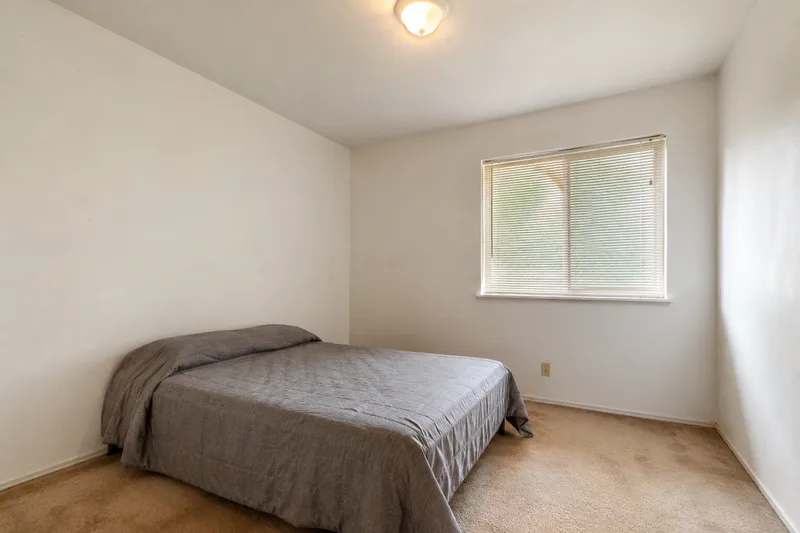
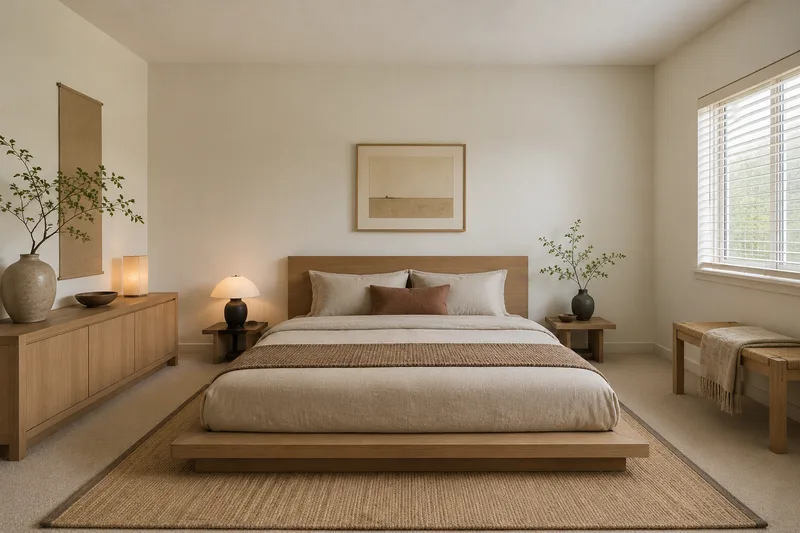
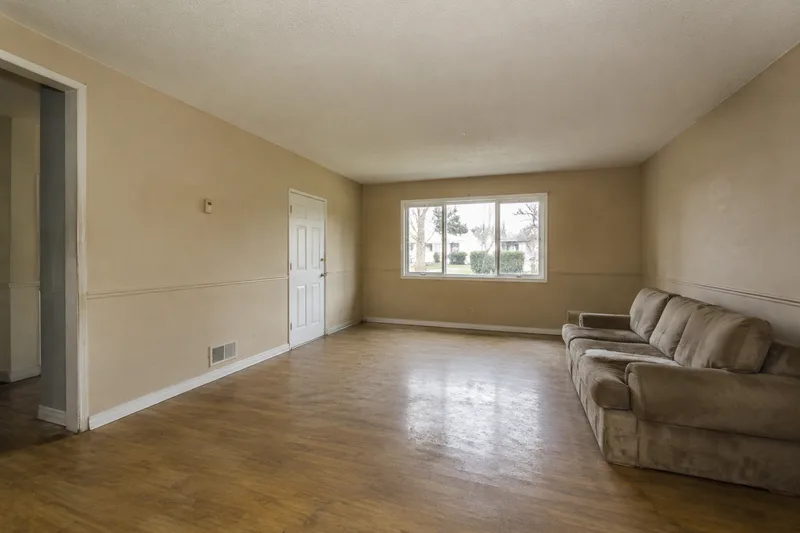
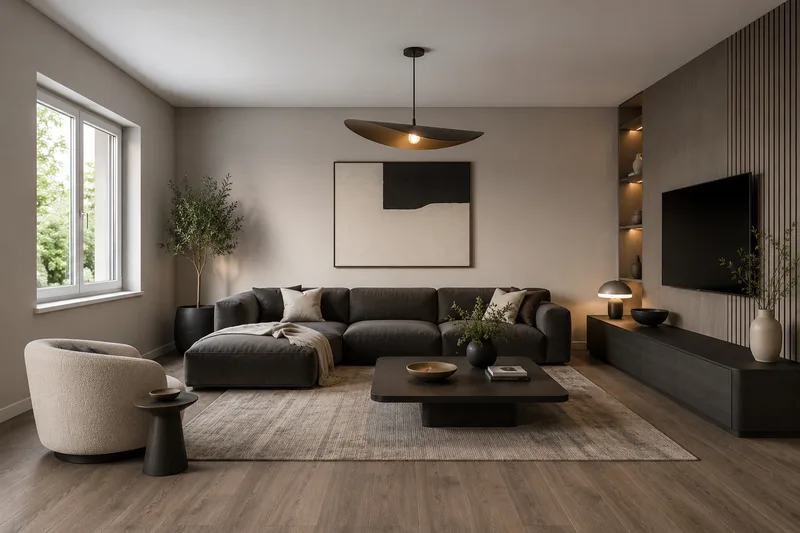
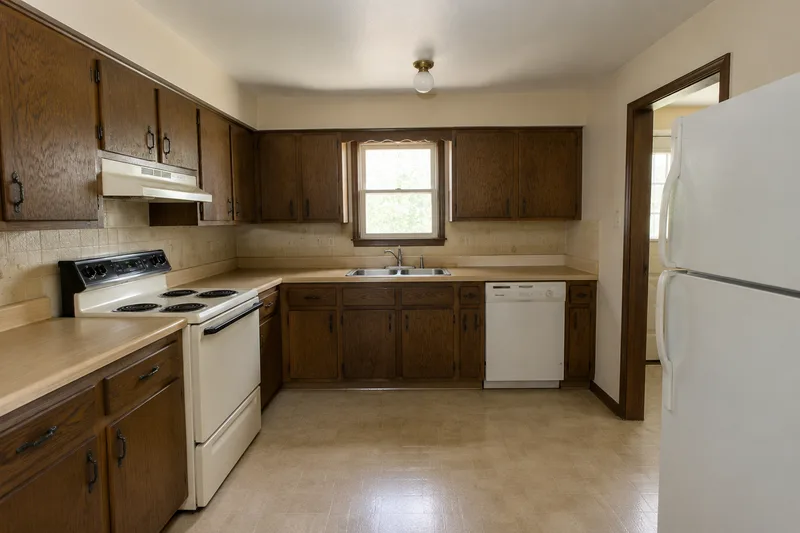
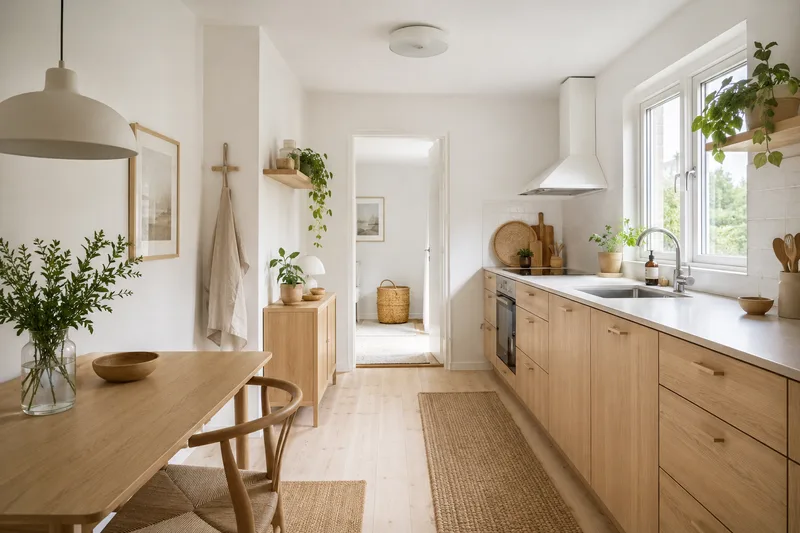
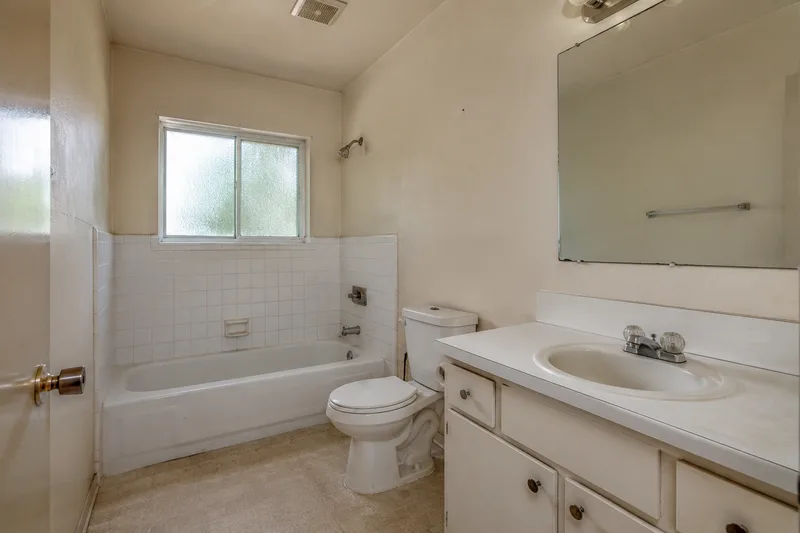
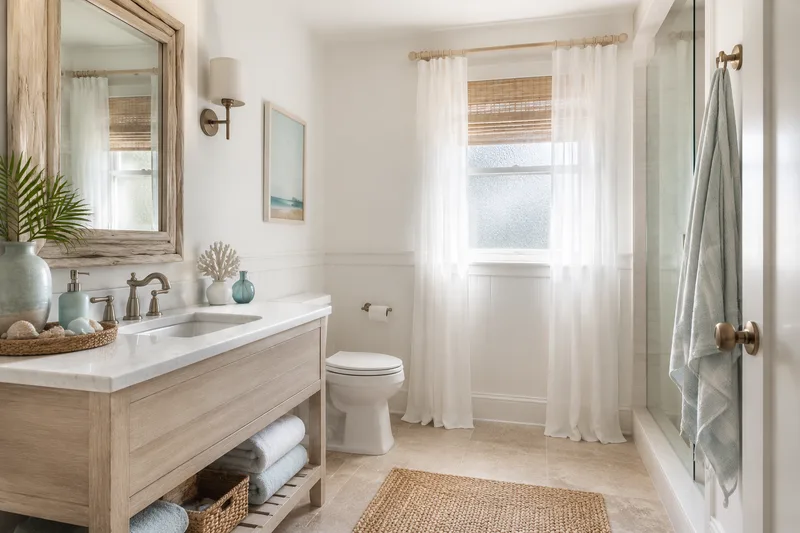
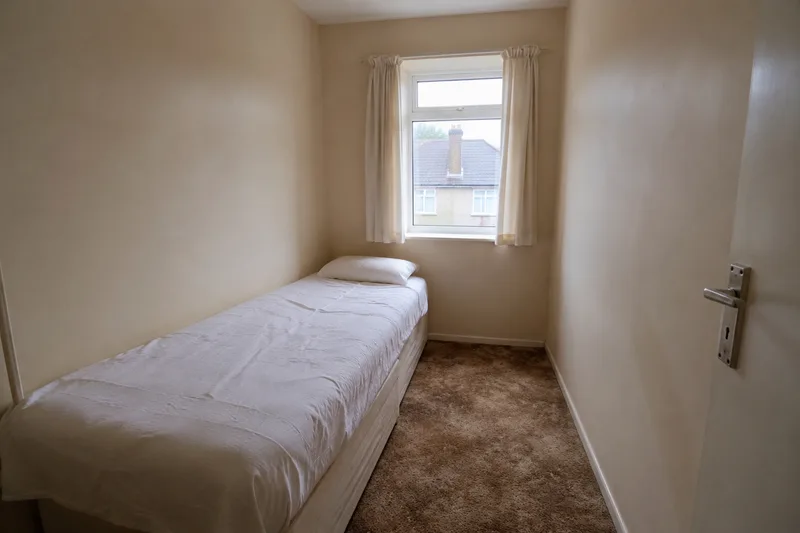
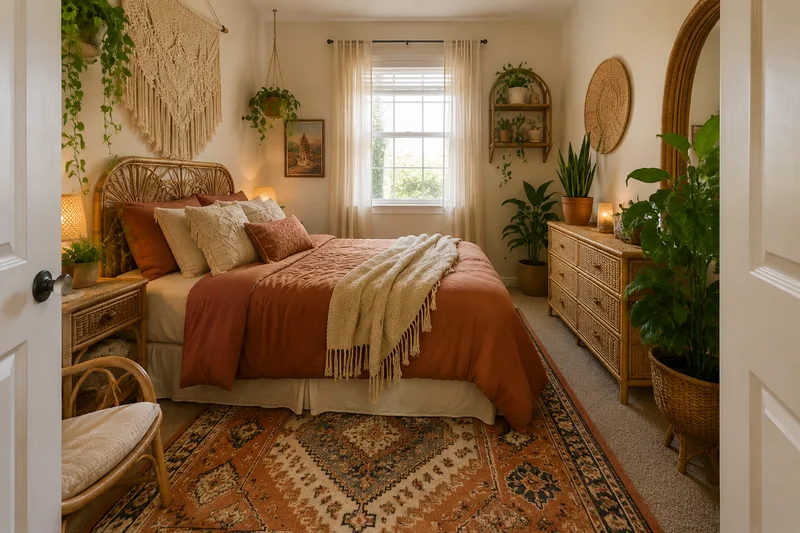
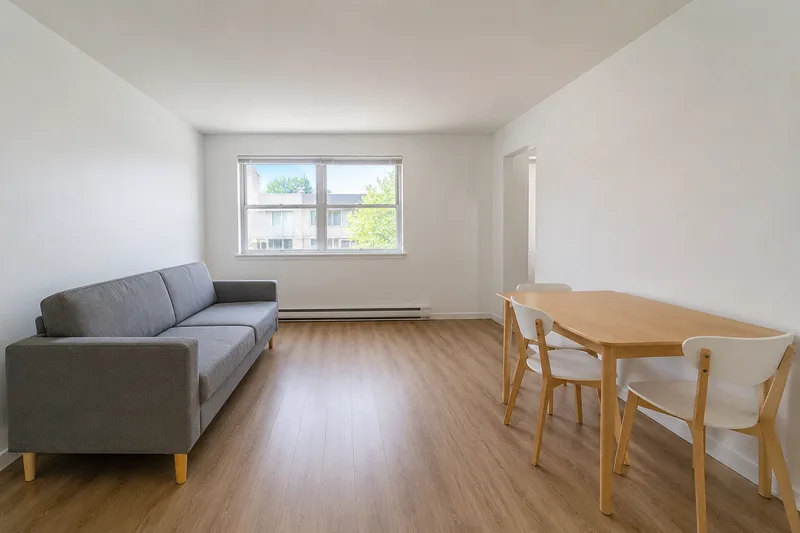
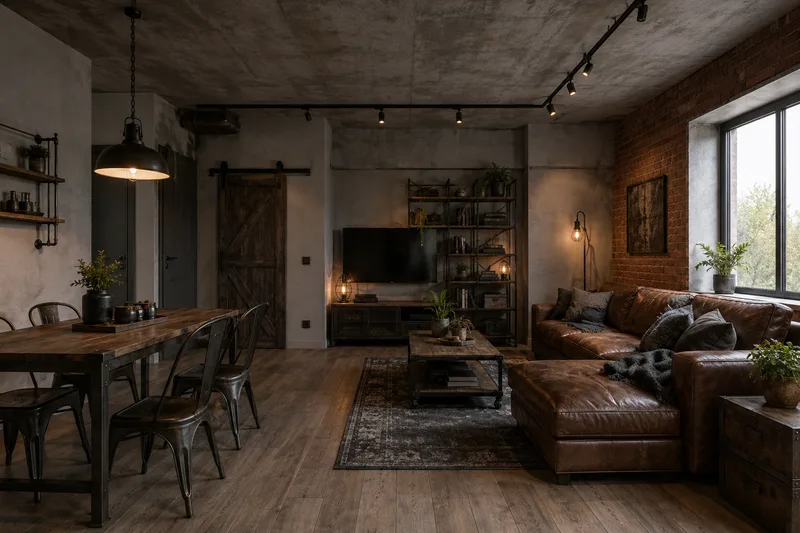
Turn an empty or dated listing photo into a warm, market-ready room. Same space, professionally styled — drag any example below to see the before and after.
Free · no login · your photo is sent only when you click Redesign — to our rendering service, which the AI reads it from. We never use your photos to train models. Your result stays available for 7 days so you can come back for it.
Live staging of your own photo is on — upload a room, pick a style and render it, or drag the AI staging examples above. Free, no login.
Kept on this device for 7 days. Renders made with a credit code can also be found on any device by entering the code.
Need more than 2 a day?
Two free renders a day stay free, forever. Credit packs add more — no account, no subscription, and they never expire.
40 renders
or 20 Pro renders
$4.90
$0.12 per render · one-off
Enough to try every style in a few rooms.
100 renders
or 50 Pro renders
$9.90
$0.10 per render · one-off
For a whole home, or a listing you are staging.
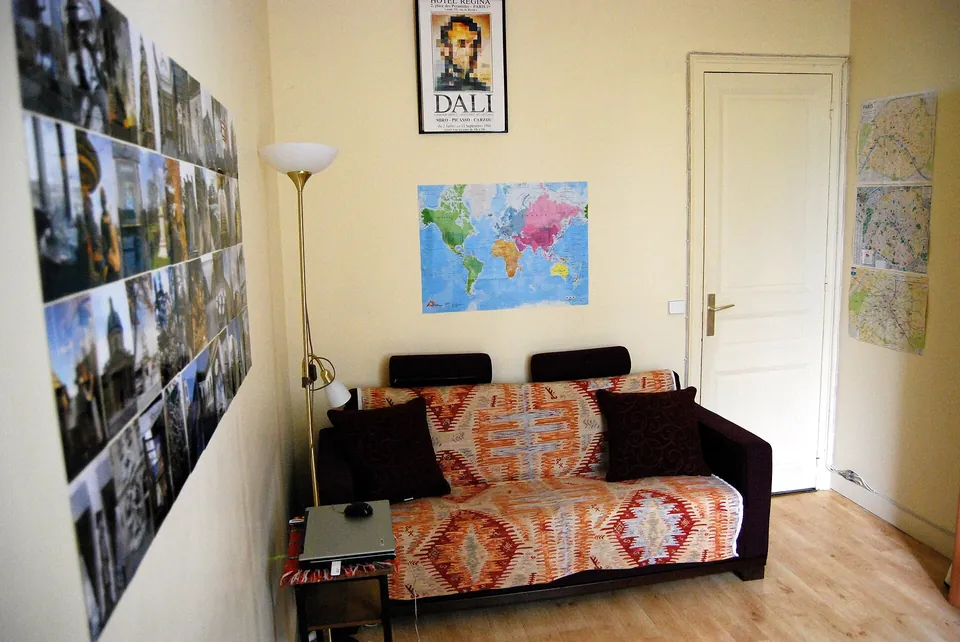
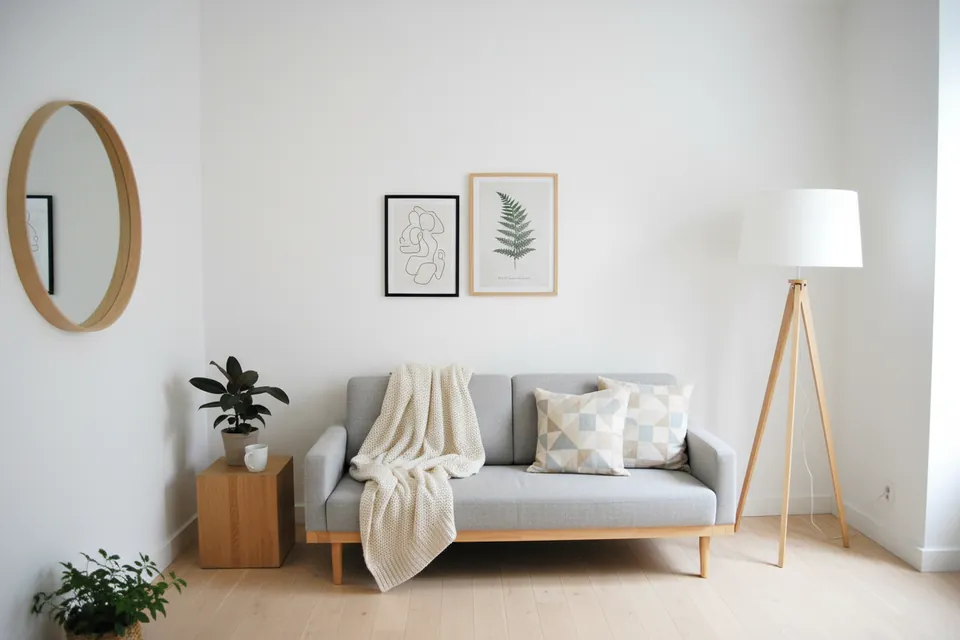
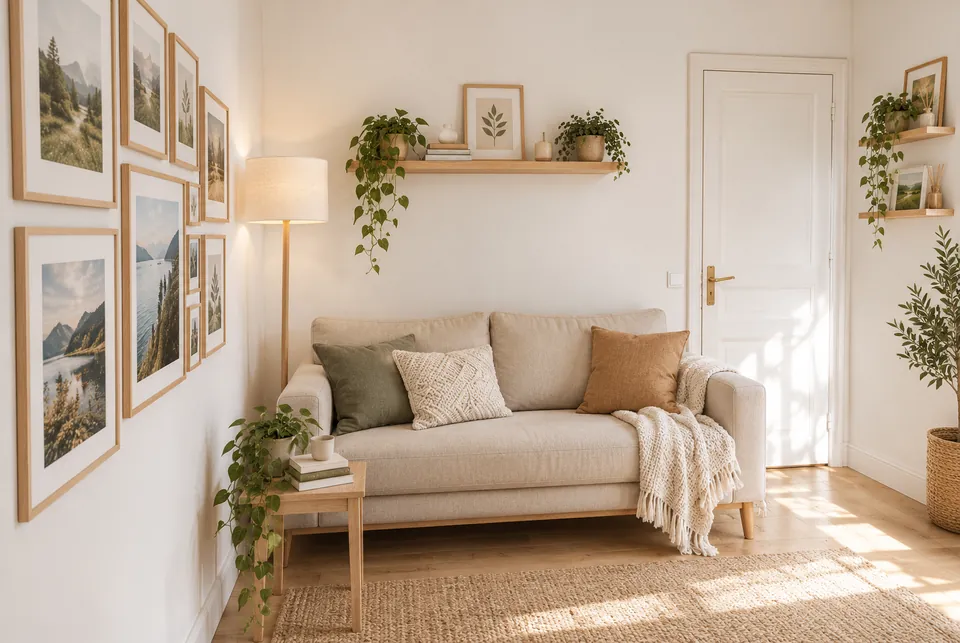
Standard vs Pro — same photo, same style
Original photo
Standard (free)
Pro
Standard dropped the door on the right. Pro kept it, along with the sofa wall and the lamp corner.
Original photo
Standard (free)
Pro
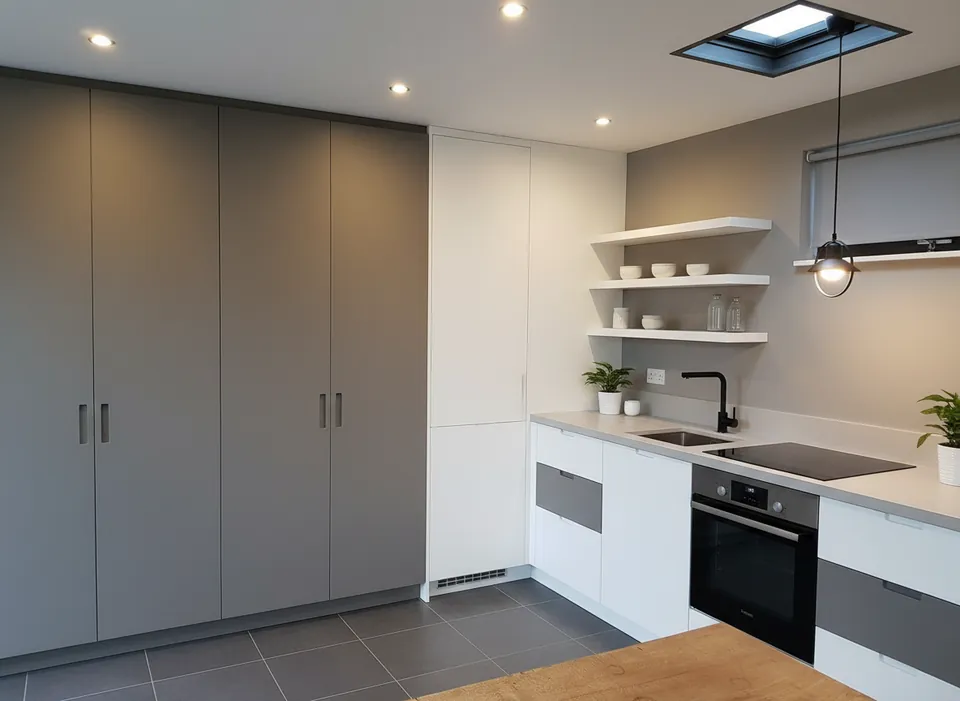
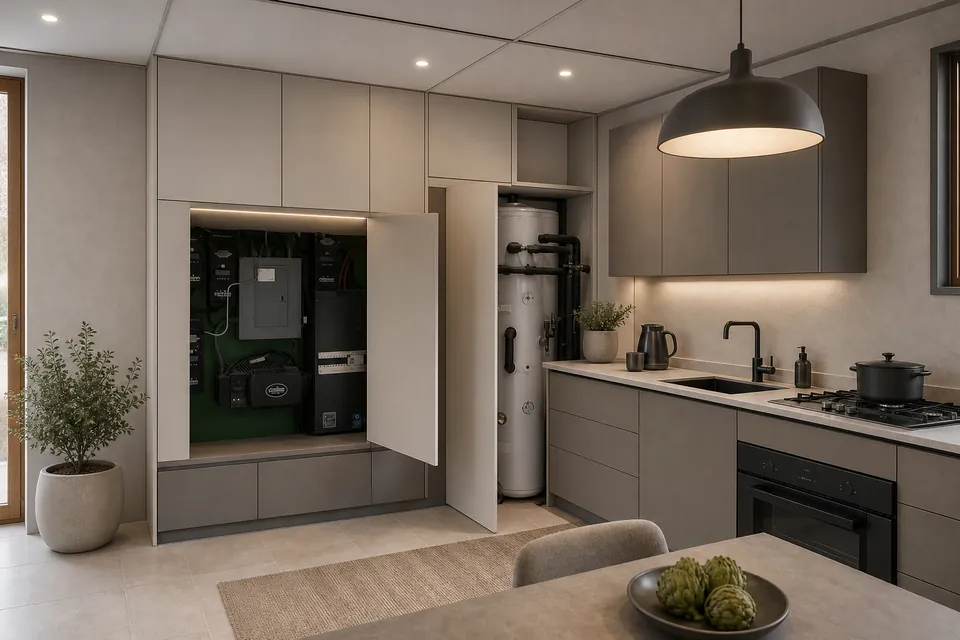
Standard replaced the open utility cupboard, the water heater and the window with plain cabinets. Pro kept all three.
Real photos, one render each (October 2026). Pro is slower and uses 2 credits; Standard stays free at 2 a day.
Your code appears on screen right after payment — no account, it works on any device, and there is nothing to cancel. Credits never expire, and purchases are final. Payment is handled by Stripe; we never see your card. Your receipt and card statement will show Clize.ai, our payments provider.
These sample rooms are AI-generated, not photos of real homes; each “after” was made from its “before” by an image model. Your own photo goes through the live tool.
Empty rooms photograph cold, and dated ones photograph older than they are — both cost a listing attention and offers. Physical staging fixes that but is slow and expensive. Virtual staging gets most of the benefit from a single photo: the same room, furnished and styled so a buyer can picture living there.
Staging is only honest if the room’s structure is shown as it is. The render is instructed to keep the layout and add furnishing, but the image model can still move or drop doors, windows and fixtures — so check every staged image against the original photo before it goes into a listing. For agents, the value is speed and volume: stage a whole listing in an afternoon and keep a consistent look across every room.
For homeowners exploring a refresh instead, the same engine powers the living room and bedroom redesign galleries.
Volume & MLS output
Staging for a full listing?
High-resolution, listing-ready exports and batch staging across rooms are arranged directly with agents and teams, not sold self-serve. Tell us about your volume and we’ll follow up.
Virtual staging digitally furnishes and styles a room in a listing photo, turning an empty or dated space into a warm, market-ready image — far faster and cheaper than physically staging the property.
Is AI virtual staging allowed in listings?
Most markets allow it if the photo is disclosed as virtually staged and the room’s structure is not misrepresented. These renders are instructed to keep the layout, but the image model can still move or remove doors, windows or fixtures — compare each image with the original before you publish it, and always follow your local MLS and disclosure rules.
Can I get listing-ready resolution and bulk staging?
High-resolution exports and batch staging for multiple rooms are not part of the self-serve credit packs — they are arranged directly with agents and teams. Use the form below to ask about volume and MLS-sized output.
Will the staging change the actual room?
It should not, but it can. The render is told to keep walls, windows and proportions and only add furniture, textiles, art and lighting; in our own tests the model sometimes removed a door or added a window. Check each image against the photo — anything structural that changed has to be corrected or the image left out of the listing.
 Original photo
  Standard (free)
  Pro
Pro 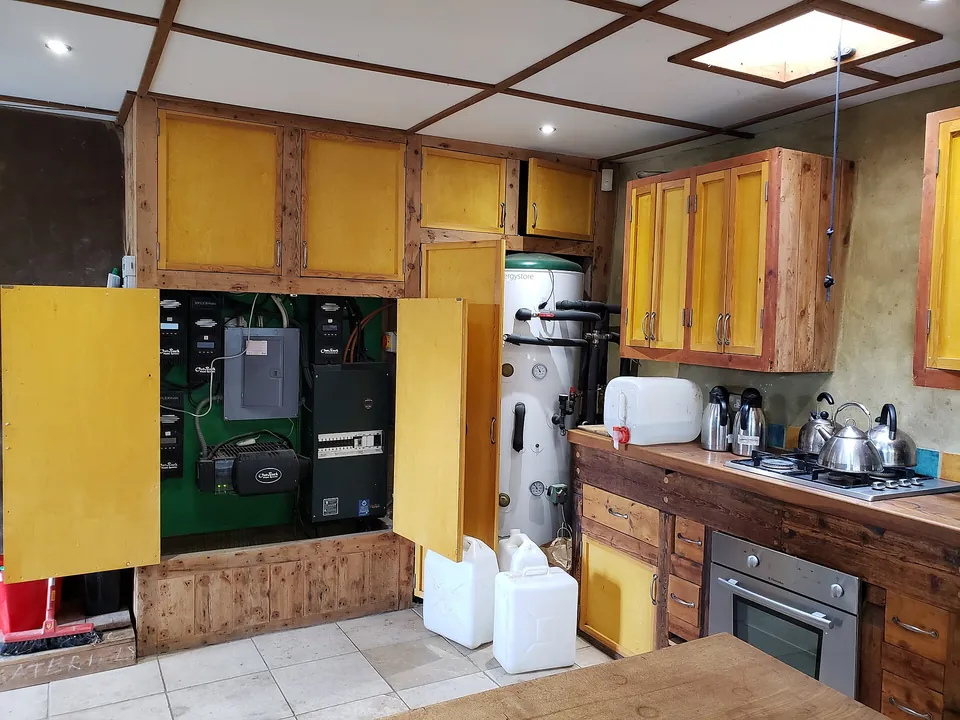 Original photo
  Standard (free)
  Pro
Pro