These sample rooms are AI-generated, not photos of real homes; each “after” was made from its “before” by an image model. Your own photo goes through the live tool.
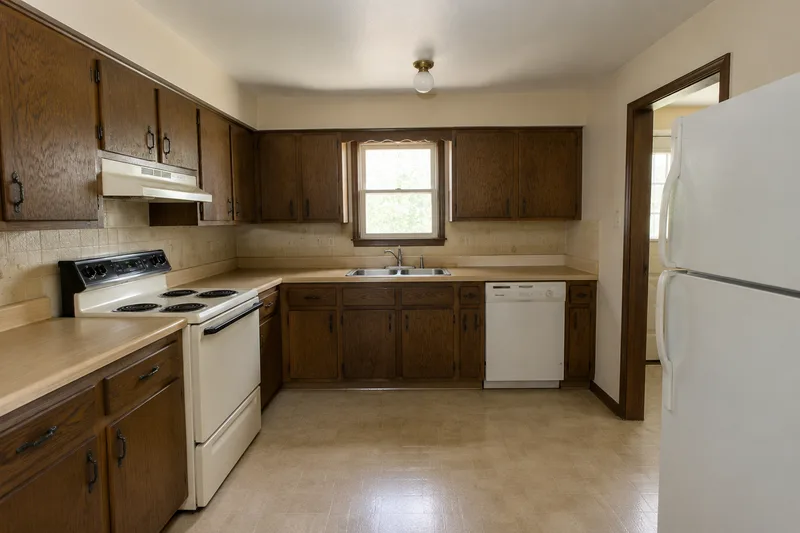
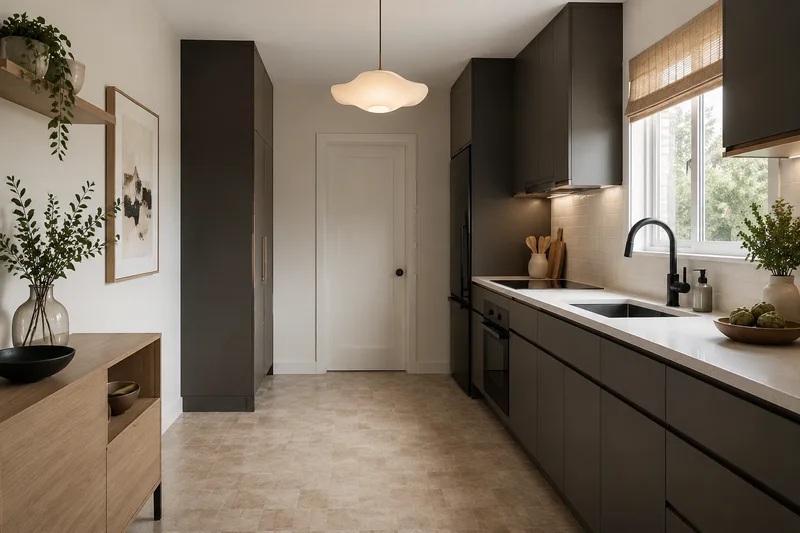
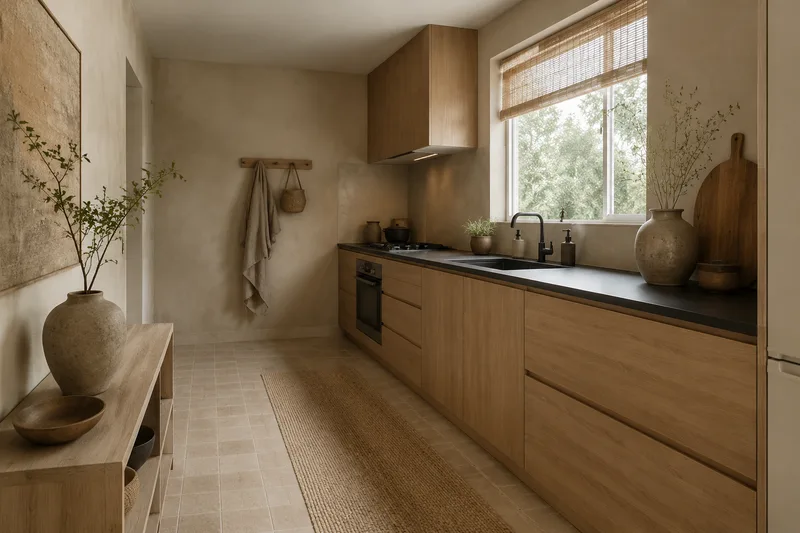
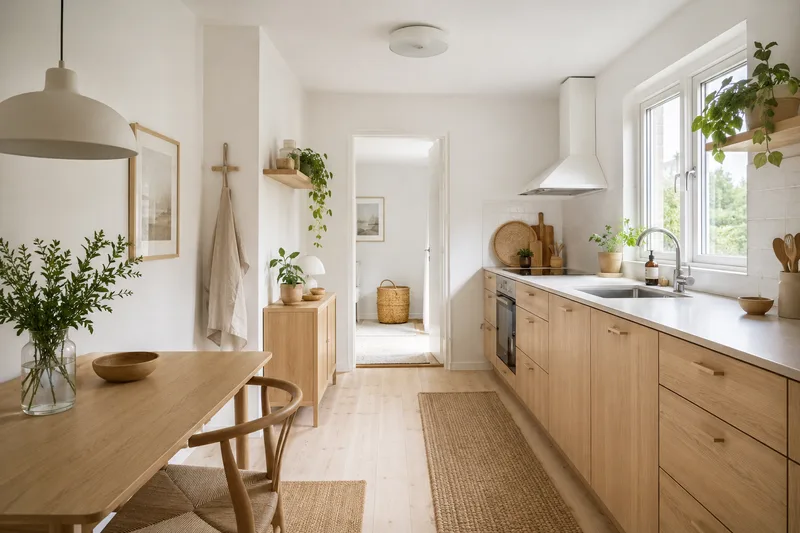
A kitchen is the most expensive room to change for real, which makes a no-commitment preview unusually valuable here. Cabinets, countertops and the backsplash account for almost all of a kitchen’s visual identity, so a redesign that reworks those finishes tells you most of what a renovation would feel like — as long as you check that the layout in the render still matches yours.
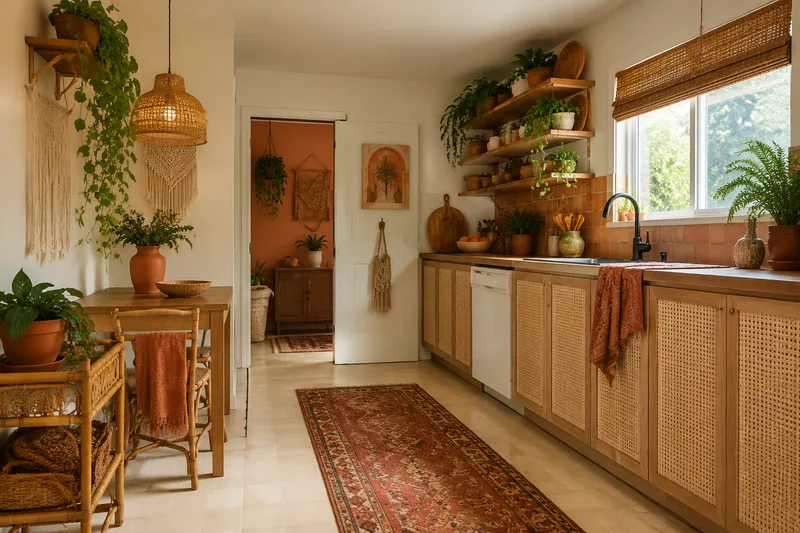
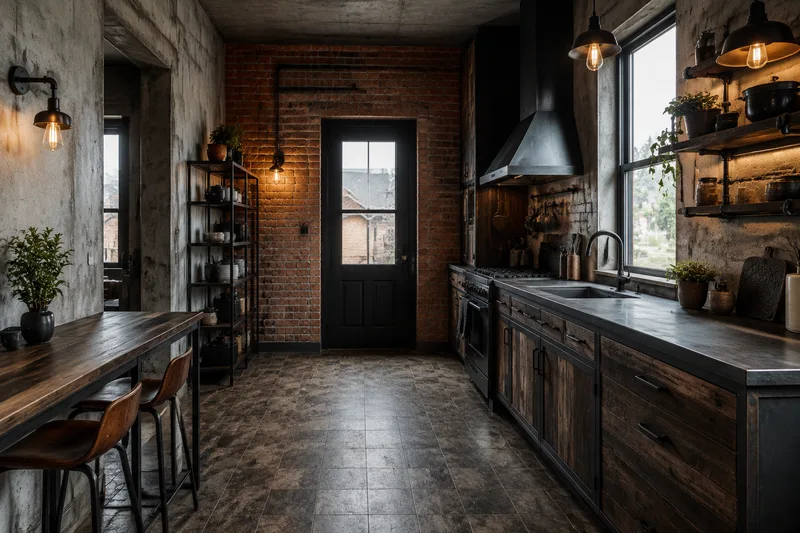
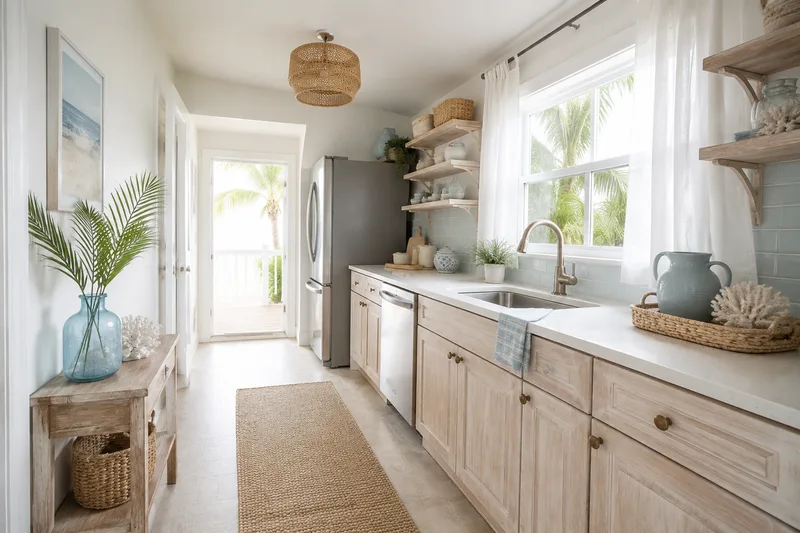
Read the cabinet color first. Going from dated oak to a painted shaker or a warm wood tone resets the entire room, and the afters below show that swap across six directions. Watch the appliances while you compare: in the modern and Scandinavian afters the freestanding cooker is gone, and the industrial one swaps it for a range under a new hood — the render does not always leave appliances where they were.
Then look at the counter-and-backsplash pairing. A lighter counter with a simple backsplash reads calm and roomy; a bolder stone or tile reads characterful. The render is asked to keep plumbing and the work triangle in place, so most pairs compare finishes on equal footing — but treat any after where a sink, hob or window has moved as a different kitchen, not a finish option.
Free · no login · your photo is sent only when you click Redesign — to our rendering service, which the AI reads it from. We never use your photos to train models. Your result stays available for 7 days so you can come back for it.
Live rendering of your own kitchen is on — upload a photo, pick a style and render it, or drag the before-and-after examples above. Free, no login.
Kept on this device for 7 days. Renders made with a credit code can also be found on any device by entering the code.
Need more than 2 a day?
Two free renders a day stay free, forever. Credit packs add more — no account, no subscription, and they never expire.
40 renders
or 20 Pro renders
$4.90
$0.12 per render · one-off
Enough to try every style in a few rooms.
100 renders
or 50 Pro renders
$9.90
$0.10 per render · one-off
For a whole home, or a listing you are staging.
Standard vs Pro — same photo, same style
Original photo
Standard (free)
Pro
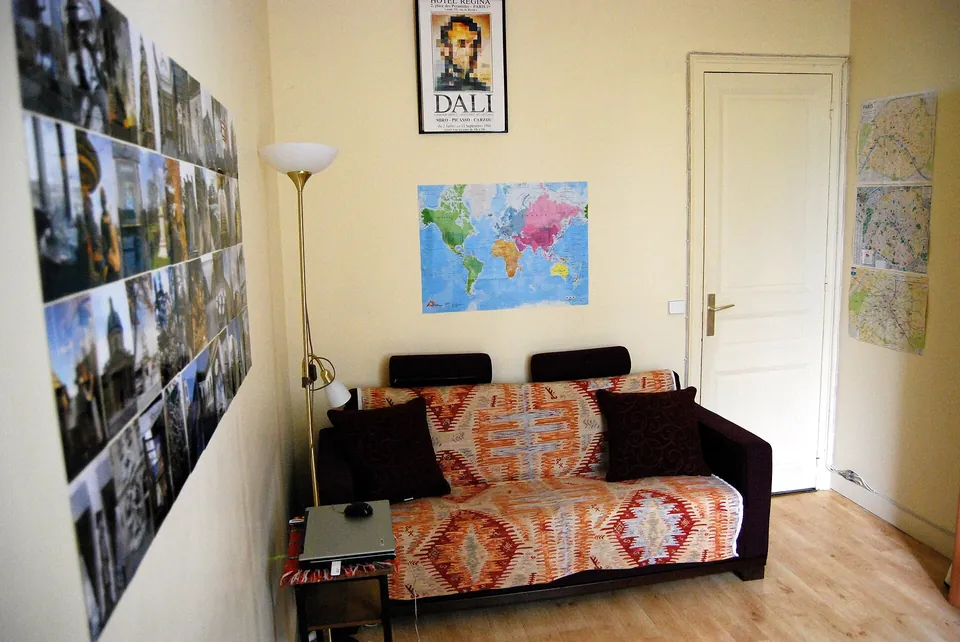
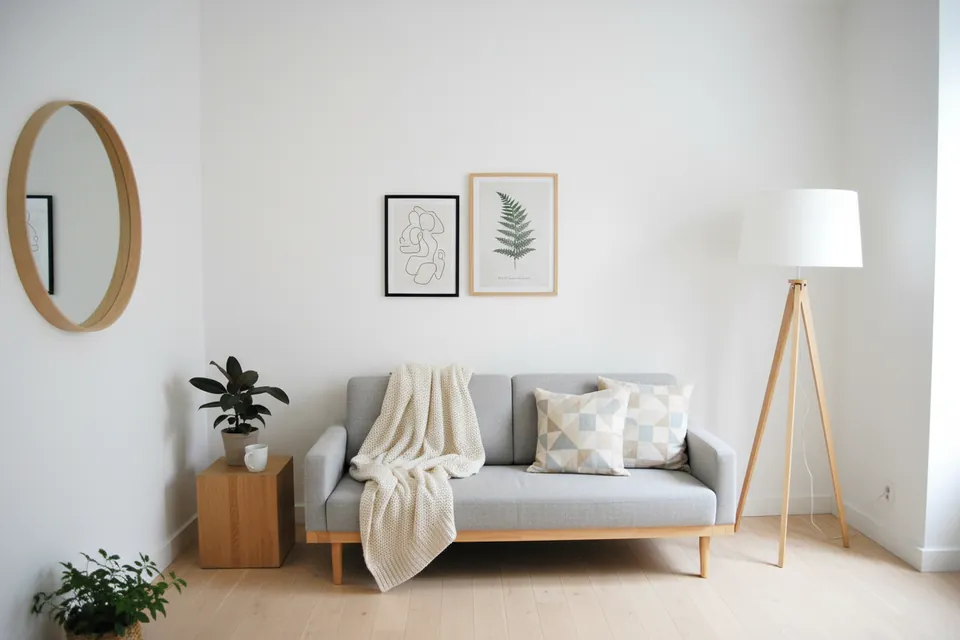
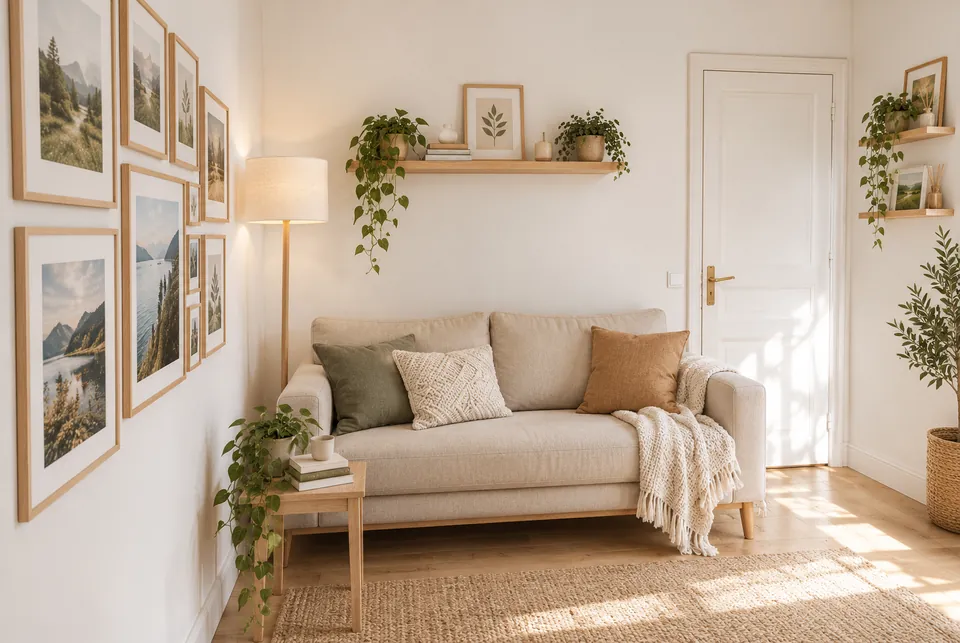
Standard dropped the door on the right. Pro kept it, along with the sofa wall and the lamp corner.
Original photo
Standard (free)
Pro
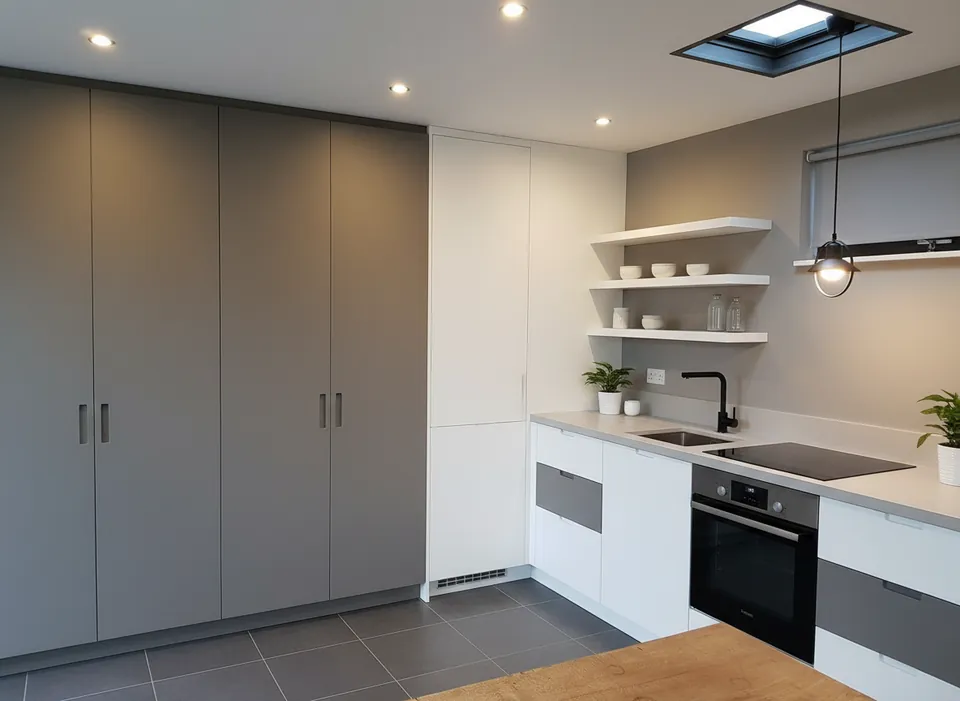
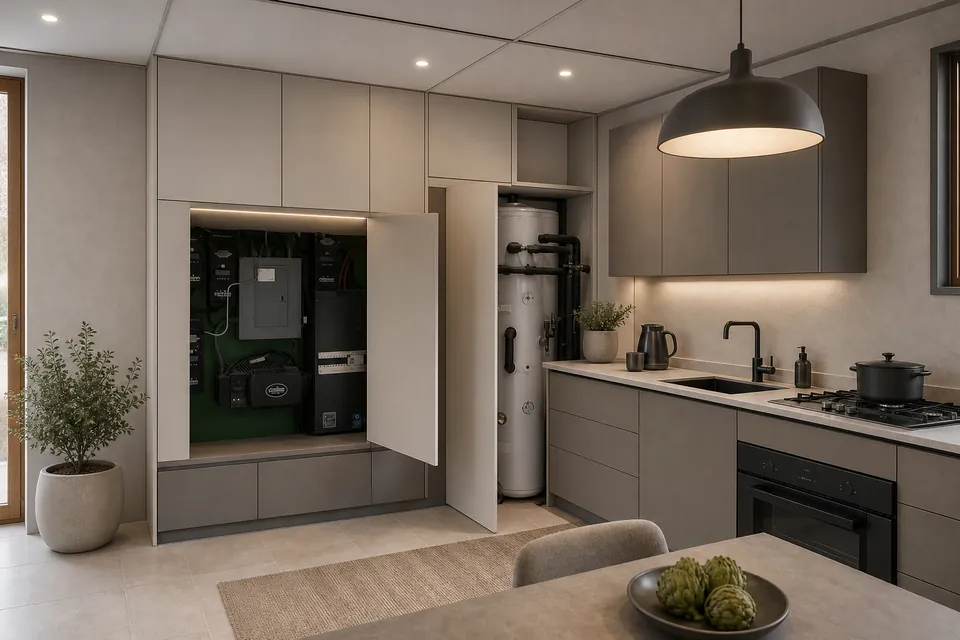
Standard replaced the open utility cupboard, the water heater and the window with plain cabinets. Pro kept all three.
Real photos, one render each (October 2026). Pro is slower and uses 2 credits; Standard stays free at 2 a day.
Your code appears on screen right after payment — no account, it works on any device, and there is nothing to cancel. Credits never expire, and purchases are final. Payment is handled by Stripe; we never see your card. Your receipt and card statement will show Clize.ai, our payments provider.
FAQ
Kitchen Redesign FAQ
Is there a free AI kitchen design tool that works from a photo?
Yes. This is a free AI kitchen design tool — upload one photo of your kitchen, pick a style, and the restyled room comes back to your browser (the photo is sent to our render service for that one image). No login and no card: two free renders a day, and the before-and-after examples above need no upload at all.
Can AI redesign my kitchen without changing the layout?
That is what it is asked to do: keep your cabinet runs, appliances and work triangle where they are and restyle only the finishes — cabinet color, countertop, backsplash, hardware and lighting. It does not always manage it. In our test on a real kitchen photo it kept the worktop run and the oven but hid an open equipment cupboard behind new doors and added a sink and a window. Check the result against your kitchen.
Is the kitchen render realistic enough to plan a remodel?
It is a realistic look-and-feel preview, not a construction drawing. Use it to choose a direction and finishes, then take the image to a kitchen designer or contractor to spec materials and costs.
Will it suggest a different cabinet color than I have now?
Each of the six styles applies its own cabinet and finish palette, so you can compare painted, wood and two-tone directions against your current kitchen in the before/after slider.
 Original photo
  Standard (free)
  Pro
Pro 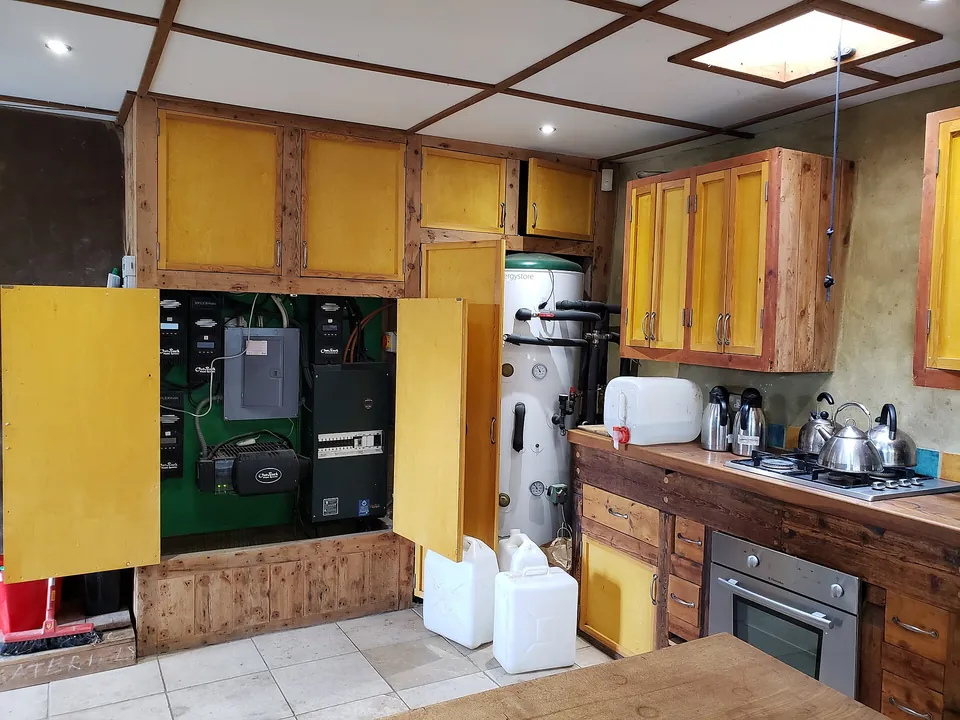 Original photo
  Standard (free)
  Pro
Pro